PALO ALTO, Calif., December 3, 2015 — HP Inc. today announced new solutions designed to make it easier and less expensive for customers to deploy digital capture, as well as new scanners and MFPs that provide faster scanning and printing.
“Converting paper into digital files helps businesses lower costs and operate more efficiently,” said Edmund Wingate, vice president & general manager, JetAdvantage Solutions, HP. “HP is working to eliminate the barriers of cost and complexity so more customers can deploy and benefit from digital capture.”
New JetAdvantage Solutions
HP has updated its JetAdvantage solution portfolio with new offerings that make it simpler and less expensive to deploy scanner and MFP-based digital capture. Rather than invest in a complex, extensively featured solution, the new HP offerings enable customers to deploy faster with less upfront investment. The new HP JetAdvantage solution offerings include:
-HP Scan Configuration Service provides template-based scan flows for use with HP Embedded Capture. HP has also introduced templates for healthcare and financial services, with additional industry templates to follow. These templates enable set up of repeatable digital capture processes that support common business functions for these industries. For healthcare, the supported processes are patient admission and patient discharge. The financial services template supports processes for loan application and account opening. The HP Scan Configuration Service leverages predefined templates to help reduce deployment time significantly for implementing scan flows and lower the cost for deploying custom scan flows, with pricing set at a one-time fee of $25 per device when bundled with the purchase and installation of HP Embedded Capture.
-HP Capture and Route is now available through a one button implementation on HP Enterprise MFPs and Digital Senders. For customers that only need to deploy a single process to digitally capture and manage paper documents, this option enables a simple, modular deployment, along with pricing flexibility. Businesses get the flexibility to start small, implementing a single process and add additional processes over time as needed.
New Scanners Enable Faster Digitalization
HP is further helping customers boost office productivity by making the process of scanning and converting paper documents more efficient with three new HP ScanJet devices that deliver faster scanning speeds.
- For small and medium businesses with general office scanning needs, the HP ScanJet Pro 2500f1 and the HP ScanJet Pro 3500f1 PC-connected flatbed scanners with automatic document feeders provide single pass duplex scanning and scan to cloud capabilities. The HP ScanJet Pro 2500fn1 can scan up to 40 images per minute and the HP ScanJet Pro 3500fn1 can scan up to 50 images per minute.1
- For small and medium businesses and enterprise departments in need of a scanner with network connectivity, HP is announcing the HP ScanJet Pro 4500fn1, a flatbed scanner with an ADF that includes on-device sending and scanning, Wi-Fi and Wi-Fi direct connectivity, and single pass duplex scanning of up to 60 images per minute. This scanner is available beginning Jan. 7.2
- To help further enhance productivity for converting paper documents
into digital files, HP will deliver the HP JetAdvantage Capture app,
which makes it easy to capture, store and route digital files from a
mobile device. The app also supports using mobile devices to initiate
scanning and receive scanned documents from Wi-Fi-enabled HP MFPs and
scanners, such as the HP ScanJet Pro 4500fn1. This app is available
beginning Jan. 7.
New MFPs deliver high volumes and fast speeds
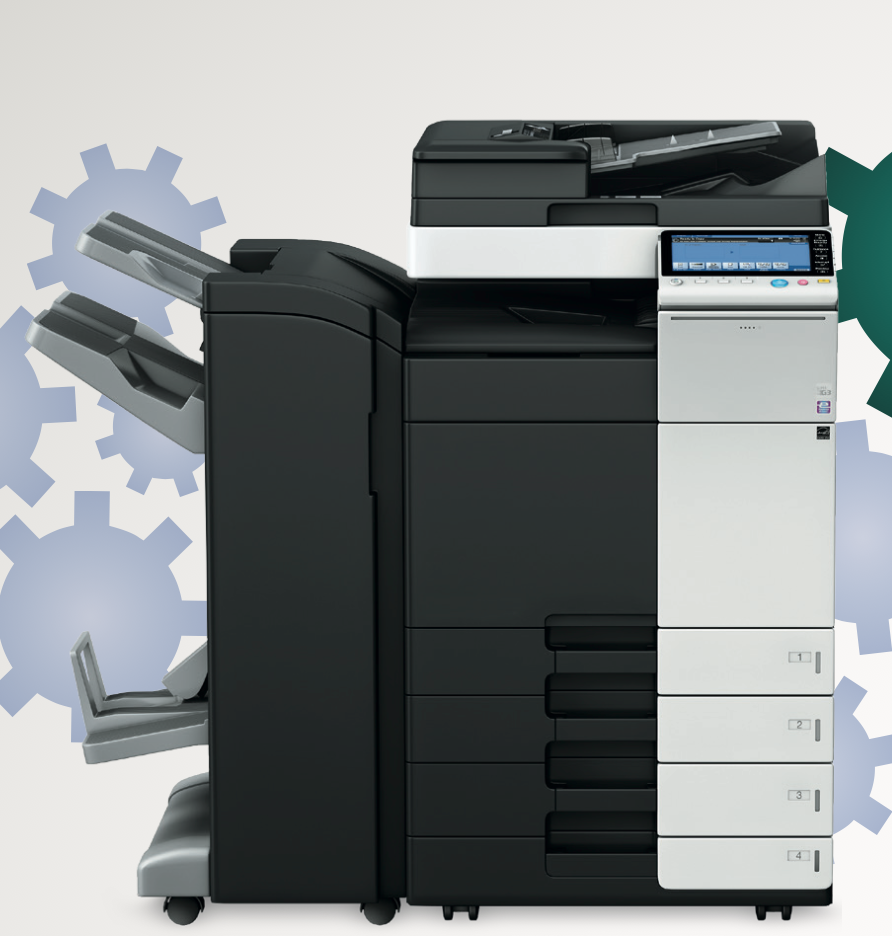
HP is expanding its A3 portfolio, introducing two new MFPs for managed print services customers in need of high-volume imaging and printing. The HP MFP S965dn and HP MFP S975dn are designed to support high volume document workflows and light production printing while saving up to 30 percent on printing costs.3 The HP MFP S965dn prints up to 65 pages a minute and the HP MFP S975dn prints up to 75 pages a minute, and both devices can scan up to 200 images per minute with single pass dual sided scanning.
More information about the new HP JetAdvantage solution portfolio is available www.hp.com/go/jetadvantage.
About HP Inc.
HP Inc. creates technology that makes life better for everyone, everywhere. Through our portfolio of printers, PCs, mobile devices, solutions, and services, we engineer experiences that amaze. More information about HP Inc. is available at http://www.hp.com.
1Scan speeds of up to 40 images per minute for the HP ScanJet 2500f1 and 50 images per minute for the HP ScanJet 3500f1 measured at 300 dpi (black-and-white, grayscale, and color). Actual processing speeds may vary depending on scan resolution, network conditions, computer performance, and application software.
2Scan speeds of up to 60 images per minute for the HP ScanJet 4500fn1 measured at 300 dpi (black-and-white, grayscale, and color). Actual processing speeds may vary depending on scan resolution, network conditions, computer performance, and application software.
3Estimated energy and paper savings based on analysis of select HP Managed Print Services customers’ imaging and printing operations using data gathered on devices and paper consumption, comparing with post-MPS actuals or projections. Results depend on unique business environments, the way HP products and services are used, and other factors. Overall printing costs are unique to each company and should not be relied on for savings you may achieve. According to industry analysts, savings of up to 30% are typical with managed print services.
4Printing speed measured using ISO/IEC 24734 and excludes first set of test documents. For more information, see hp.com/go/printerclaims. Exact speed varies depending on the system configuration, software application, driver, and document complexity.
5Scan speeds measured from ADF. Actual processing speeds may vary depending on scan resolution, network conditions, computer performance, and application software.
This document contains forward-looking statements within the meaning of the safe harbor provisions of the Private Securities Litigation Reform Act of 1995. Such statements involve risks, uncertainties and assumptions. If such risks or uncertainties materialize or such assumptions prove incorrect, the results of HP and its consolidated subsidiaries could differ materially from those expressed or implied by such forward-looking statements and assumptions. All statements other than statements of historical fact are statements that could be deemed forward-looking statements, including the expected benefits and costs of the transaction; the expected timing of the completion of the transaction; the ability to complete the transaction considering the various closing conditions, including those conditions related to regulatory approvals and Unisplendour shareholder vote; any statements of expectation or belief; and any statements of assumptions underlying any of the foregoing. Risks, uncertainties and assumptions include the possibility that expected benefits may not materialize as expected; that the transaction may not be timely completed, if at all; that, prior to the completion of the transaction, the new H3C business may not perform as expected due to transaction-related uncertainty or other factors; that the parties are unable to successfully implement integration strategies; and other risks that are described in HP’s Securities and Exchange Commission reports, including but not limited to the risks described in HP’s Annual Report on Form 10-K for its fiscal year ended October 31, 2014 and HP’s Quarterly Report on Form 10-Q for its fiscal quarter ended January 31, 2015. HP assumes no obligation and does not intend to update these forward-looking statements.
© 2015 Hewlett-Packard Development Company, L.P. The information contained herein is subject to change without notice. The only warranties for HP products and services are set forth in the express warranty statements accompanying such products and services. Nothing herein should be construed as constituting an additional warranty. HP shall not be liable for technical or editorial errors or omissions contained herein.